App page
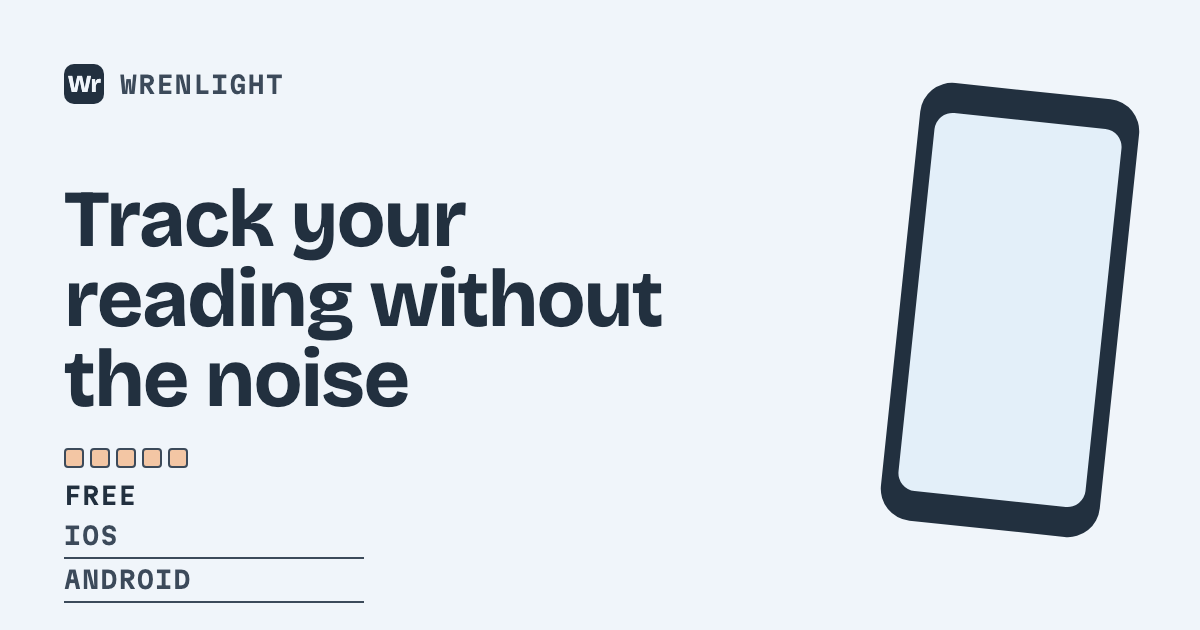
A tilted phone screen beside the app name, its platforms and a five-segment rating bar.
The app page template shows a mobile or desktop app as a store listing preview: a tilted phone screen beside the app name, a tagline, the platforms it runs on and a five-segment rating bar. It gives an app landing page or a download link a preview shaped like a store listing.
The required fields are the app name, a tagline and one to three platforms, for example iOS and Android. Rating and price are optional, so an app without reviews yet can simply omit them. The rating field takes a number such as 4.6 and fills the bar accordingly. The account logo can fill the brand-mark slot.
Use it for the app's marketing site, its press page and the posts that announce a new version. Because it is rendered from parameters, a changed tagline or rating is one new request away, and the output is a standard 1200 by 630 image that X, LinkedIn, Slack and Facebook all accept.
- App landing pages
- App launch and update announcements
- Press and media kit pages
- Cross-platform app listings
Related: Quickstart · URL templates guide · Check how your app link previews
This template renders your account logo (Dashboard → Brand logo) in its brand-mark slot.
Parameters
| Parameter | Type | Required | Limit |
|---|---|---|---|
name | string | Yes | up to 120 characters |
tagline | string | Yes | up to 300 characters |
platforms | array of strings | Yes | up to 3 items of 120 characters |
rating | string | No | up to 120 characters |
price | string | No | up to 120 characters |
Try it
POST /v1/images, Bearer-authenticated, with this template id and
params — see the quickstart for how to get a key, and for a
signed-URL example that links straight to a cacheable, cache-forever image URL without a
server round trip.
curl https://ogmake.com/v1/images \
  -H "Authorization: Bearer og_live_..." \
  -H "Content-Type: application/json" \
  -d '{
  "template": "app",
  "params": {
    "name": "Wrenlight",
    "tagline": "Track your reading without the noise",
    "platforms": [
      "iOS",
      "Android"
    ],
    "rating": "4.6",
    "price": "Free"
  }
}'
This template requires an array field (platforms)
— over a GET route (Public URLs, Signing)
it's carried as bracket-indexed query keys instead of a JSON array; see the reference's "Array fields on GET routes".
A working public-URL example (mint a real key in the dashboard to replace {your-public-key}):
GET https://ogmake.com/p/{your-public-key}/app?name=Wrenlight&tagline=Track+your+reading+without+the+noise&platforms%5B0%5D=iOS&platforms%5B1%5D=Android&rating=4.6&price=Free